
Stop forcing every client into the same dashboard.
Each client has their own priorities. Reports need to explain performance across their channels and give each stakeholder the level of detail they need.
Yet agency reporting is often squeezed into whatever the reporting tool can produce.
We build reporting systems around each client’s business goals and reporting needs.
Specialist reporting time saved
Reduction in reporting production time
Reporting production workflow
Specialist time returned on a monthly reporting cycle
Give each client the information they need to assess performance.
We bring the client’s data and agreed KPIs together in one report, with the context your agency needs to explain the results.
Clients still need answers after opening the dashboard.
Platforms make it easy to display clicks, impressions, spend and conversions.
But clients often care about pipeline, sales quality, revenue, regional performance, stock, profitability or something else entirely.
Reporting should show how marketing contributes to the client’s business goals
Media, analytics, CRM, sales and business data are often viewed separately.
The metrics change, but the reporting logic rarely reflects how the client actually operates.
More information often creates less clarity.
Reports may show conversions without showing whether those leads became sales or how much revenue they generated.
Move from platform reporting to business reporting.
Bring campaign, analytics and sales data together to show how marketing contributes to business results.
See Custom Reporting Results →Custom reporting systems in practice.
These examples show how agency teams and clients can review data from different platforms in one place.
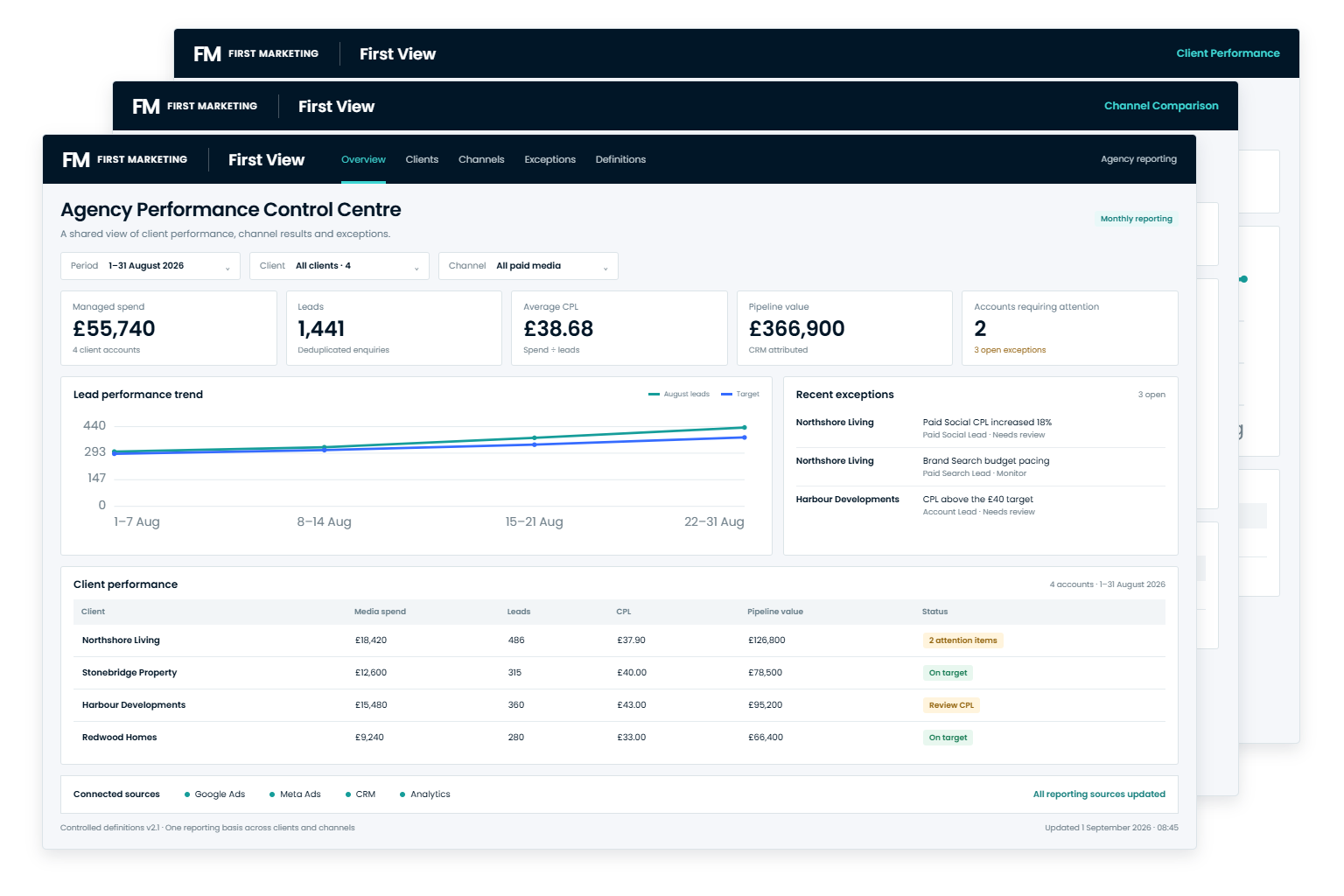
Review performance across all your client accounts.
Your team can review every client’s performance in one dashboard, without rebuilding reports each month.
Disconnected spreadsheets, manual account checks and repeated monthly data collection.
Spend, conversions, CPA, clicks, CTR, account status, managers and historical performance.
Makes it easier to compare accounts, spot issues earlier and report consistently across clients
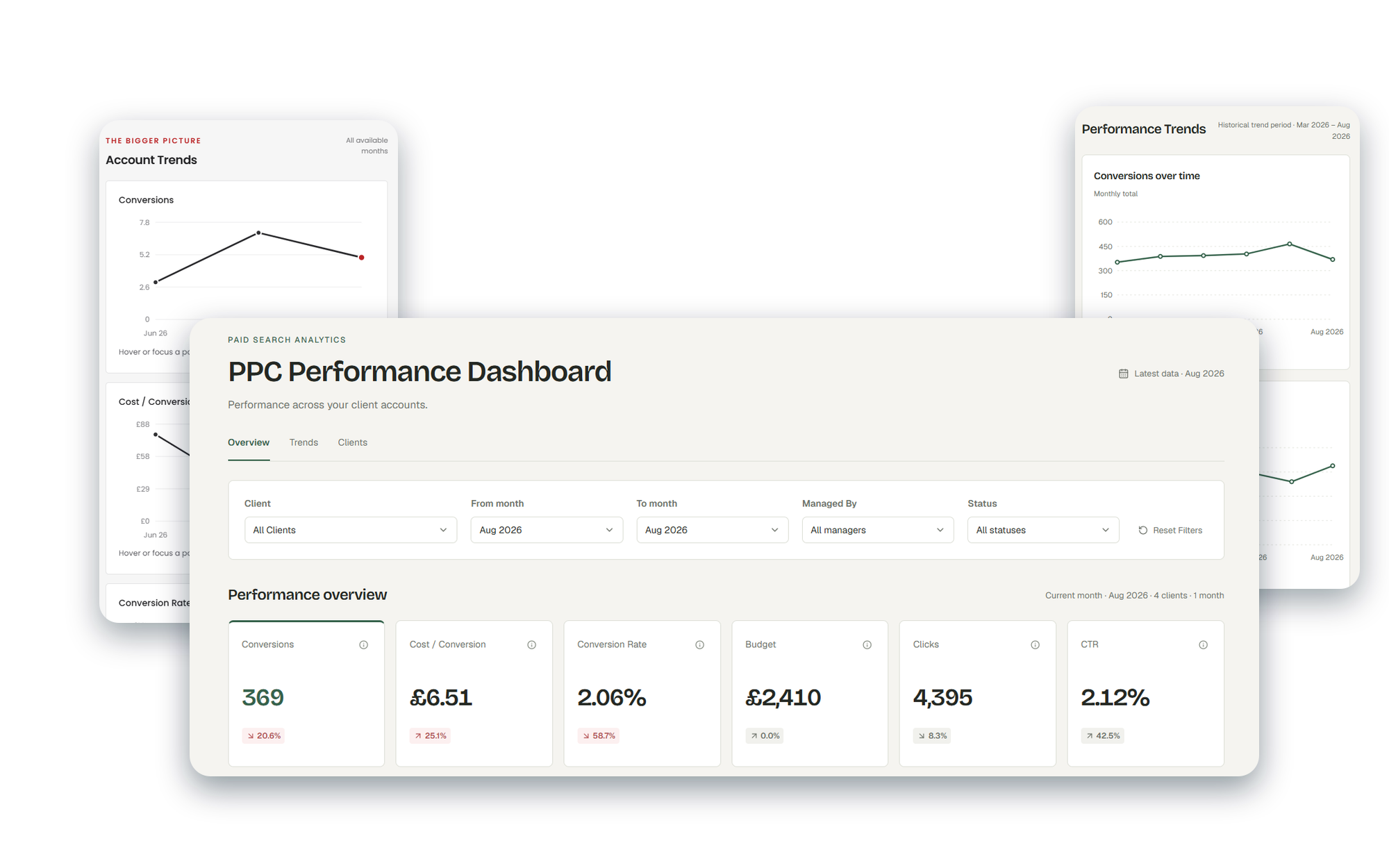
Help each client understand their campaign results.
Each client gets a dashboard showing current performance, monthly comparisons and longer-term trends.
Generic dashboard templates, platform screenshots and manually assembled presentation decks.
Google and Meta performance, lead volume, CPA, conversion rates and campaign trends.
Helps clients understand results and gives your team the information needed to explain and improve campaign performance.
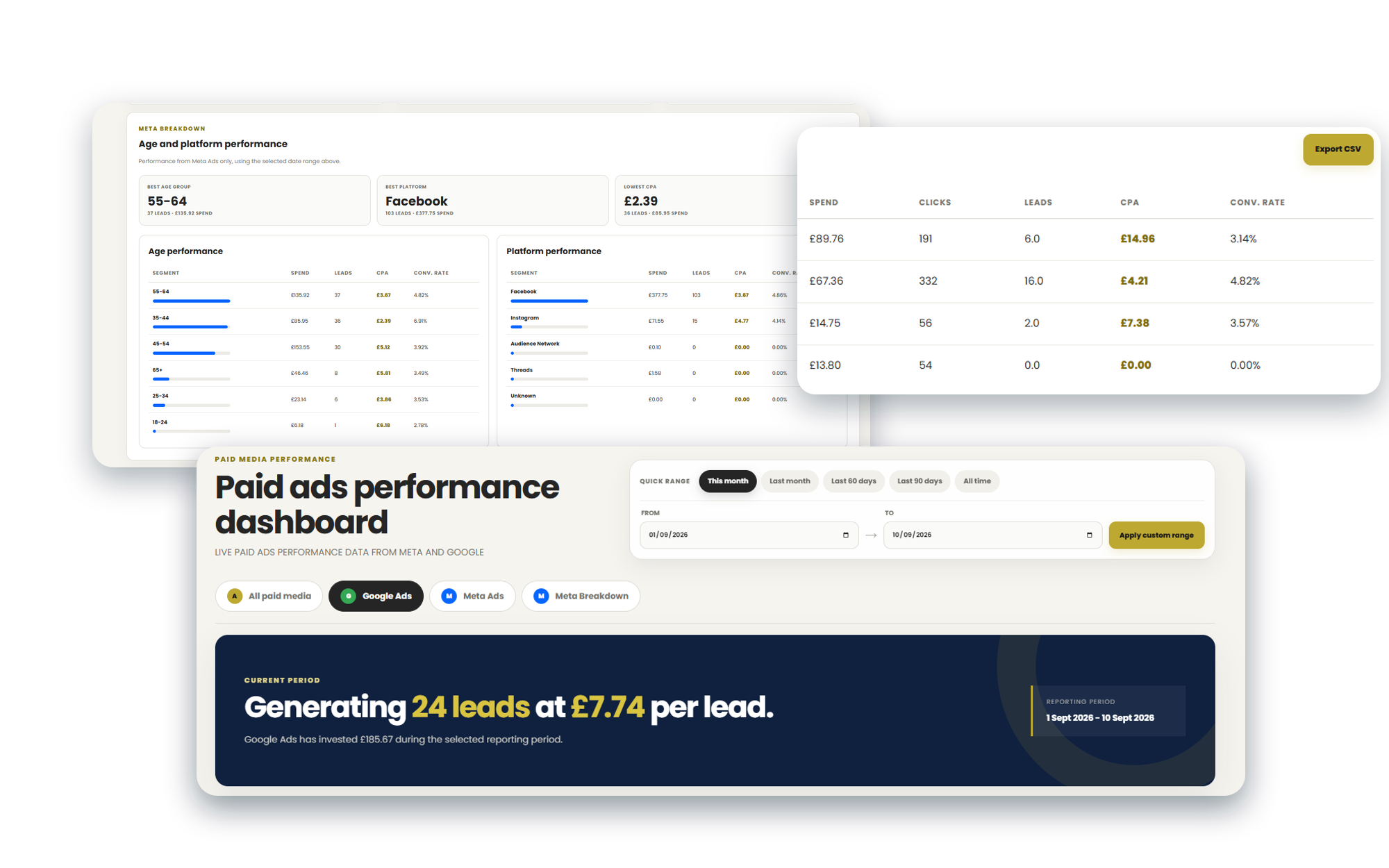
The person optimising the campaign does not need the same dashboard as the CEO.
Good reporting changes depending on who is looking at it.
Account teams need detailed campaign results, while marketing leaders need to understand each channel’s contribution. Directors may focus on pipeline, revenue and business trends.
Give clients useful reporting throughout the month.
A strong reporting system gives the agency and client a shared view of performance, priorities and commercial outcomes.
Clearer Client Value
Connect agency activity more directly to the outcomes clients actually care about.
Better Decisions
Give each person the information they need to make decisions.
Consistent Reporting
Give your team and clients a consistent set of figures to work from.
Stronger Retention
Help clients understand campaign performance and your agency’s contribution to the results.
More Useful Meetings
Spend less time explaining where numbers came from and more time discussing what to do next.
Stronger Agency IP
Build your agency’s reporting methods and knowledge of each client into a system you can reuse and develop.
We design the reporting model before we design the dashboard.
A good dashboard is the final layer. First we need to understand the users, questions, data sources and decisions the system has to support.
Start with the questions
Identify users, decisions, client objectives, KPIs and reporting requirements.
Connect the data
Define sources, transformations, calculations and data relationships.
Create the reporting system
Develop the dashboard environment, views and supporting data layer.
Put it into client delivery
Validate with real data, train users and refine the reporting experience.
Start with the questions
Identify users, decisions, client objectives, KPIs and reporting requirements.
Connect the data
Define sources, transformations, calculations and data relationships.
Create the reporting system
Develop the dashboard environment, views and supporting data layer.
Put it into client delivery
Validate with real data, train users and refine the reporting experience.
15+ years in digital marketing shapes how I build reporting systems.
I’ve built reports, analysed campaign performance, worked with GA4 and paid media data, and spent years turning platform numbers into something clients and account teams can actually use.
That experience helps me spot unnecessary manual reporting work and gaps between campaign data and the business results clients need to understand.
The result is a reporting system built around the questions your clients ask, the KPIs your team manages and the decisions people need to make.

Jaimie Creek
Founder
Common questions about custom reporting systems.
Clear answers to the questions agencies usually have about dashboards, data, access, ownership and ongoing support.
Usually not. If your existing dashboards work well, we can improve the data structure, connections and processes around them. A new dashboard is only needed when the current setup cannot support the agency’s or client’s reporting requirements.
Yes. Where suitable connections are available, data from Google Ads, Meta, GA4, spreadsheets, CRM platforms and other agency systems can be brought together within one reporting environment.
Yes. Each client can have the KPIs, channels, views and level of detail relevant to their business. The system can still use a shared data structure and controlled definitions without forcing every client into the same dashboard.
Access is designed around how the reporting system will be used. Some views may be restricted to specialists or agency leadership, while others can be shared directly with clients and wider stakeholder teams.
The ownership model is agreed before the project begins. Where agency ownership is selected, you receive the relevant dashboards, access, workflows, scripts and documentation required to continue using the system.
The system can be updated as platforms, connections, calculations or reporting requirements change. Ongoing support can also be included if you want Efficiency Engine to maintain and refine the reporting environment after launch.
Give your clients a reporting system worth logging into.
Map the information your clients and account teams need, connect the right data sources and build a reporting environment around the decisions they make.